Equipment Requirements (Important)
HIve Size requirement
The HM-6 hive monitor can be used with either a 10-frame or 8-frame hive. Other hives are also supported as long as they fit within the dimensions of the HM-5 platform, roughly 22" x 17" (55cm x 43cm)
Smartphone requirement
More importantly, the smartphone you use to setup up and/or download the data from the HM-6 must be either:
an iPhone 7 or newer (such as an iPhone 8, iPhone X )
- Currently the iPhone will only download the HM-6 data and upload it to the cloud. The iPhone app will not currently setup the HM-6 WiFi and Upload settings.
an Android phone (not a tablet)
a.) supporting Android 6 operating system or newer AND
b.) supports NFC
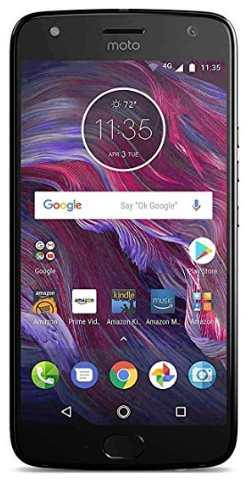
If you are looking for an Android that supports both requirements above, one inexpensive, approx $100 option, is the Motorola X4 (the 4 stands for 4th generation). See the attached manual. There is no need to purchase a phone plan with this phone. Simply buy it without a phone plan and use it as a WiFi device only.
How to know if your iPhone supports NFC
All iPhones, iPhone 7 and newer support NFC. The iPhone SE does not support NFC.
How to know if your Android supports NFC
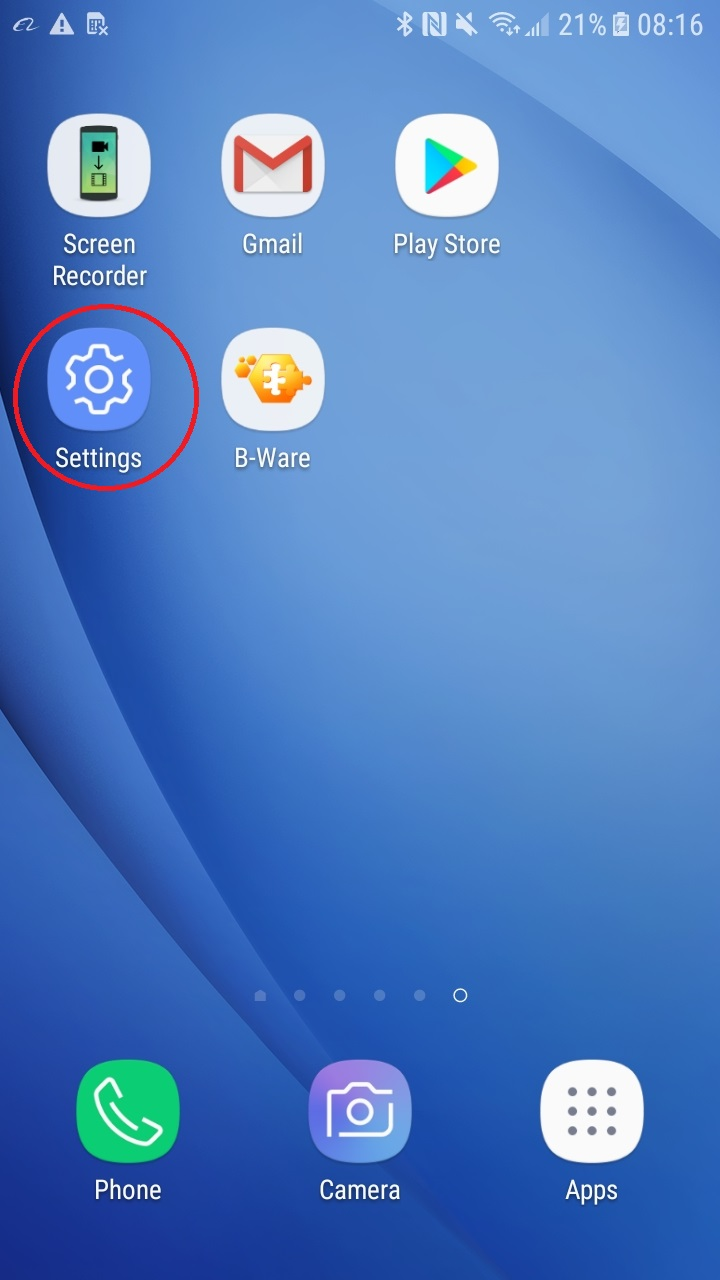
- Tap on the Android settings icon in the Android desktop.
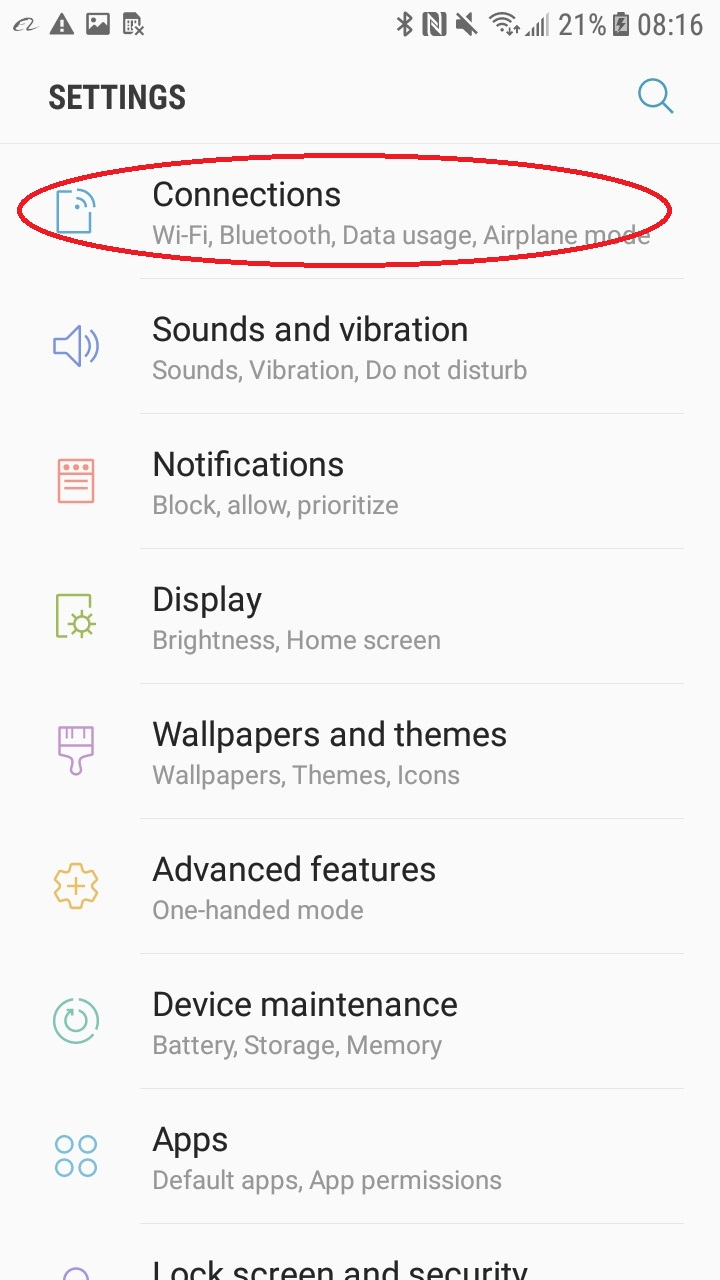
- Search for "Connections".
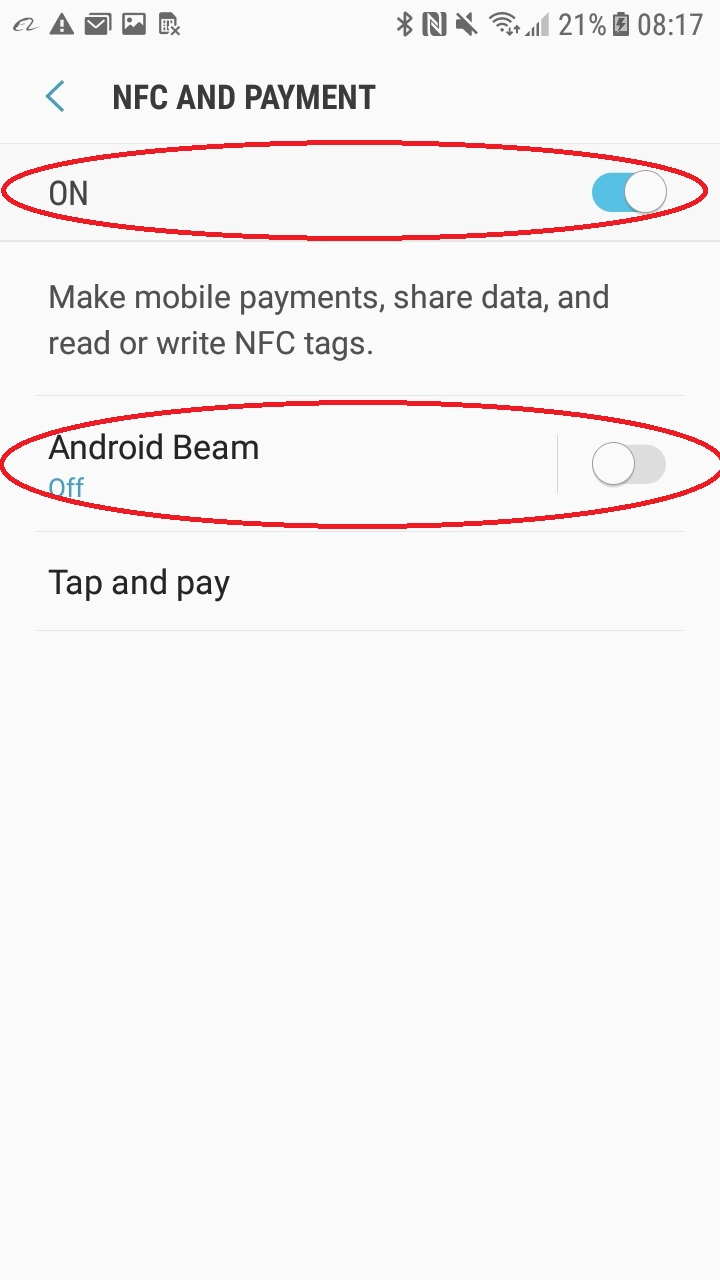
- Search for "NFC". If you find it, then the phone supports NFC. Make sure it is turned on.
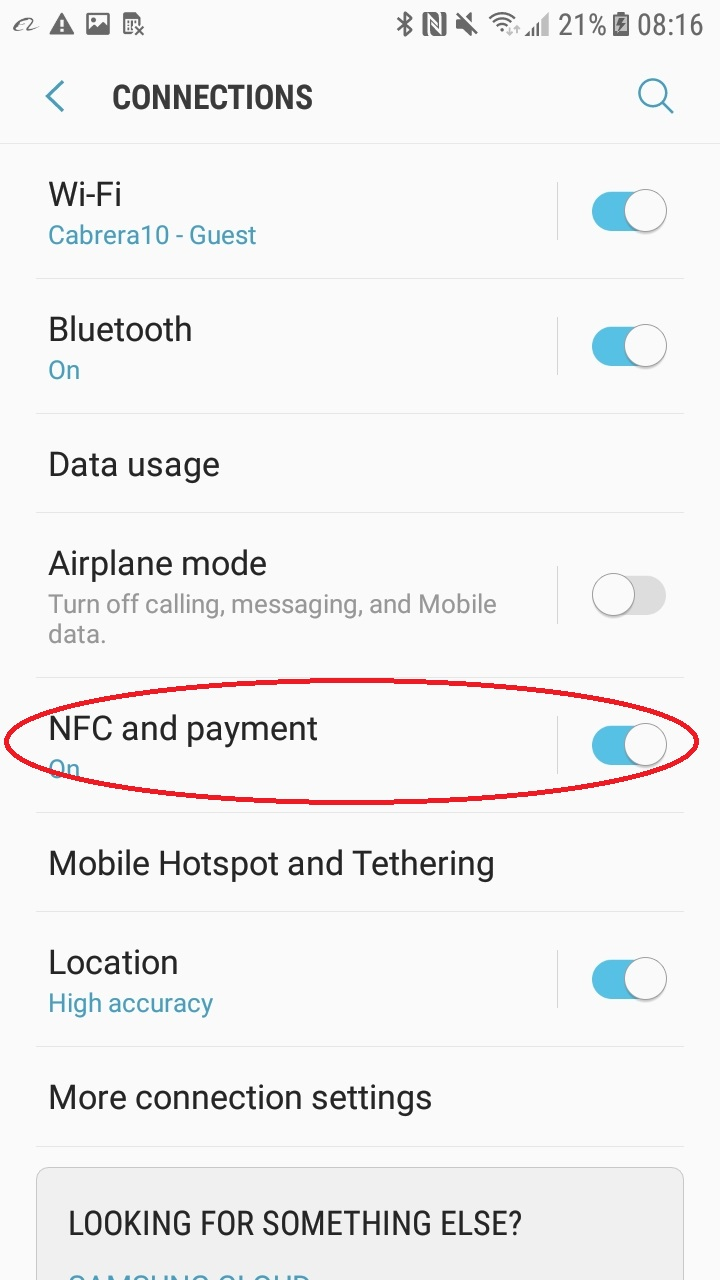
- If your Android has the Android Beam feature, make sure it is turned off. We have found the Android Beam to prevent the phone from communicating with the HM-5.